
组件接入 - 独立会话页面
页面信息
页面地址:/app/{agentId}
请求方式:GET
页面描述:
将智能体会话页面以独立页面形式嵌入到现有系统中,支持通过 URL 参数传递会话配置和初始消息
获取链接
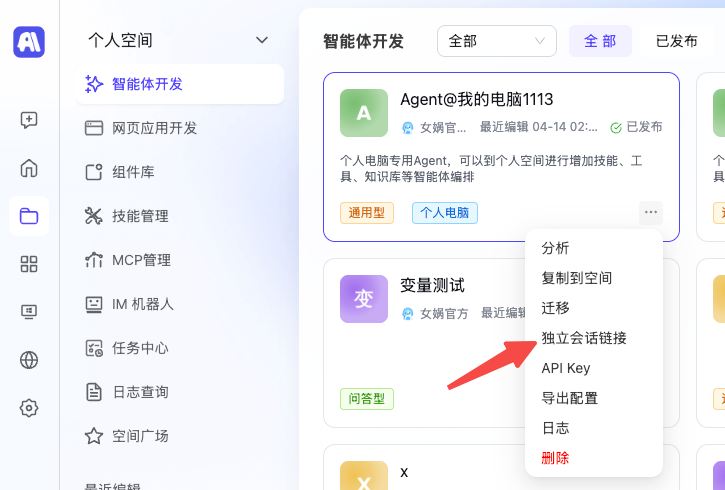
链接可带参数
查询参数:
| 参数名称 | 参数说明 | 是否必须 | 数据类型 |
|---|---|---|---|
| params | 会话请求参数(JSON 经 URLEncode 编码) | 否 | string |
JSON 参数内容:
| 参数名称 | 参数说明 | 是否必须 | 数据类型 |
|---|---|---|---|
| variableParams | 变量参数,前端需要根据agent配置组装参数 | 否 | object |
| message | 初始 chat 消息 | 否 | string |
| attachments | 附件列表 | 否 | array |
| fileKey | 否 | string | |
| fileUrl | 文件URL | 是 | string |
| fileName | 否 | string | |
| mimeType | 文件类型 | 是 | string |
| skillIds | 前端选中的技能ID列表 | 否 | array |
| modelId | 用户选择的模型ID | 否 | integer(int64) |
使用方式
方式一:直接访问
https://your-domain.com/app/1596直接打开智能体 1596 的独立会话页面,不携带任何初始参数。
方式二:携带参数访问
将 JSON 参数 URLEncode 编码后作为 params 参数传递:
javascript
// 1. 构建参数
const chatParams = {
  message: "你好,请帮我查询今天的天气",
  variableParams: { userName: "张三" },
  debug: false,
  modelId: 100
};

// 2. URLEncode 编码
const encodedParams = encodeURIComponent(JSON.stringify(chatParams));

// 3. 拼接 URL
const url = `https://your-domain.com/app/1596?params=${encodedParams}`;

// 4. 在 iframe 中嵌入
// <iframe src="${url}" width="100%" height="100%"></iframe>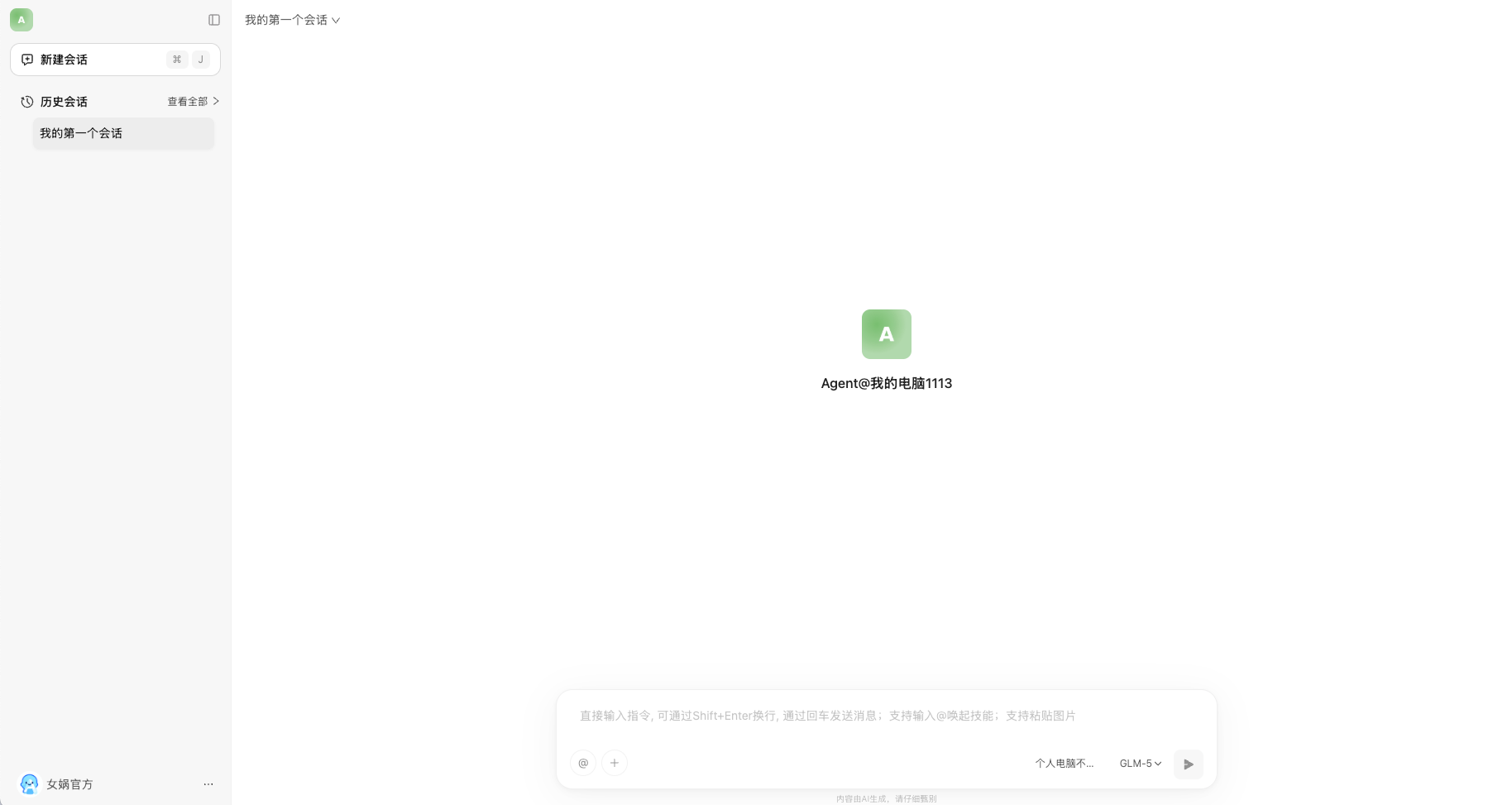
CURL示例
shell
# 直接访问
curl 'http://127.0.0.1:8081/app/1596'

# 携带参数访问(示例:初始消息为"你好")
# JSON: {"message":"你好"} 经 URLEncode 后
curl 'http://127.0.0.1:8081/app/1596?params=%7B%22message%22%3A%22%E4%BD%A0%E5%A5%BD%22%7D'
TS模板示例
ts
/**
 * 生成独立会话页面 URL
 * @param {number} agentId - 智能体ID
 * @param {object} chatParams - 会话请求参数
 * @returns
 */
export function getAgentAppUrl(agentId: number, chatParams?: {
  variableParams?: Record<string, unknown>;
  message?: string;
  attachments?: Array<{ fileKey?: string; fileUrl: string; fileName?: string; mimeType: string }>;
  debug?: boolean;
  sandboxId?: number;
  selectedComponents?: Array<{ id: number; type?: string }>;
  skillIds?: number[];
  filterSensitive?: boolean;
  modelId?: number;
}): string {
  const baseUrl = `/app/${agentId}`;
  if (!chatParams) return baseUrl;

  const encodedParams = encodeURIComponent(JSON.stringify(chatParams));
  return `${baseUrl}?params=${encodedParams}`;
}